Manage leads in the pipeline
Create leads, view them as a Kanban board, and move them between stages.
A lead is an early sales opportunity linked to a person. It moves through the stages of a pipeline (for example New, Contacted, and Qualified) until it becomes an opportunity or is lost.
View your leads
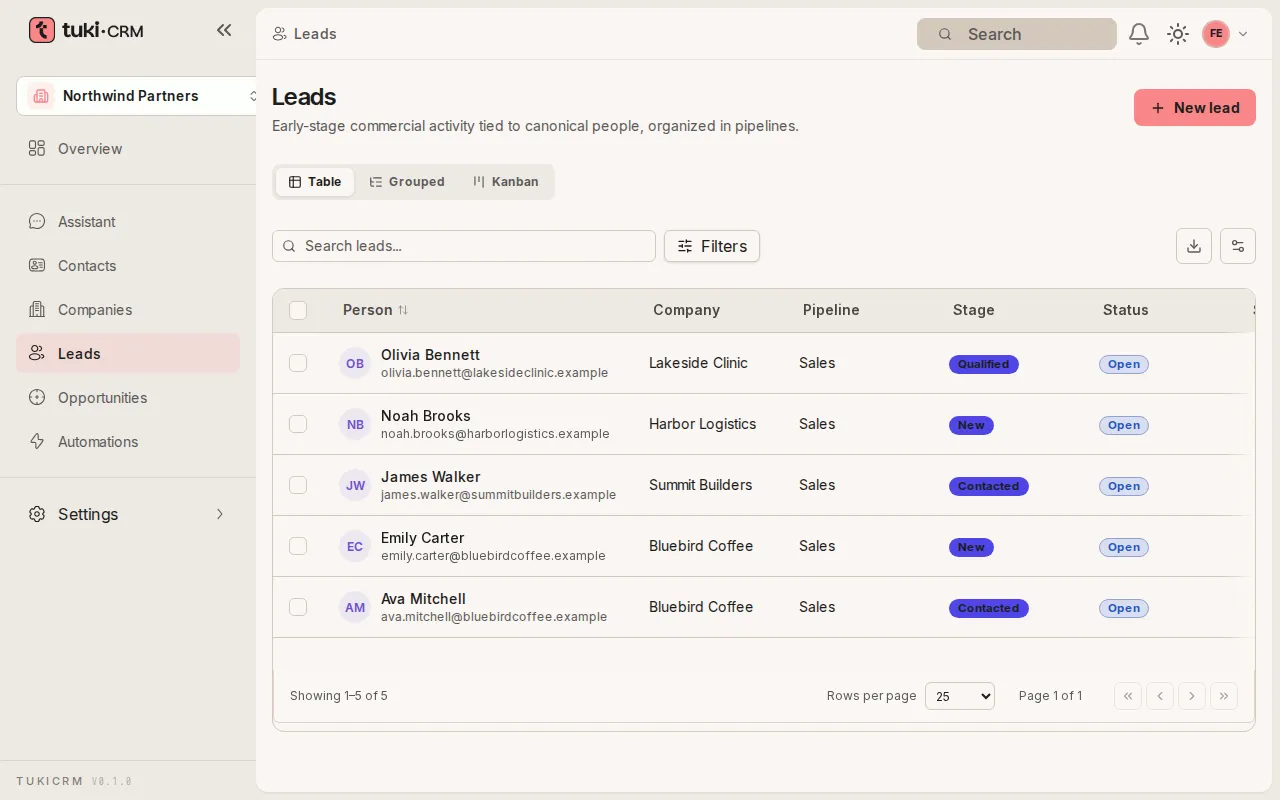
In the sidebar, open Leads. The Table view shows each lead’s person, company, pipeline, stage, status, score, owner, and source.
Create a lead
-
Click New lead.
-
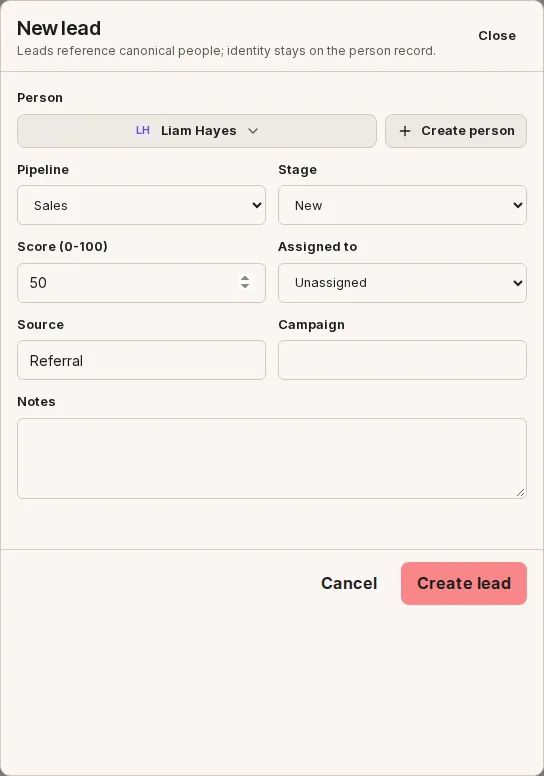
Under Person, type to search and pick the person. If they don’t exist yet, use Create person to add them without leaving the form.
-
Check the Pipeline and starting Stage, adjust the Score (0-100), and optionally fill in Assigned to, Source, Campaign, and Notes.
-
Click Create lead.
View the pipeline as a board
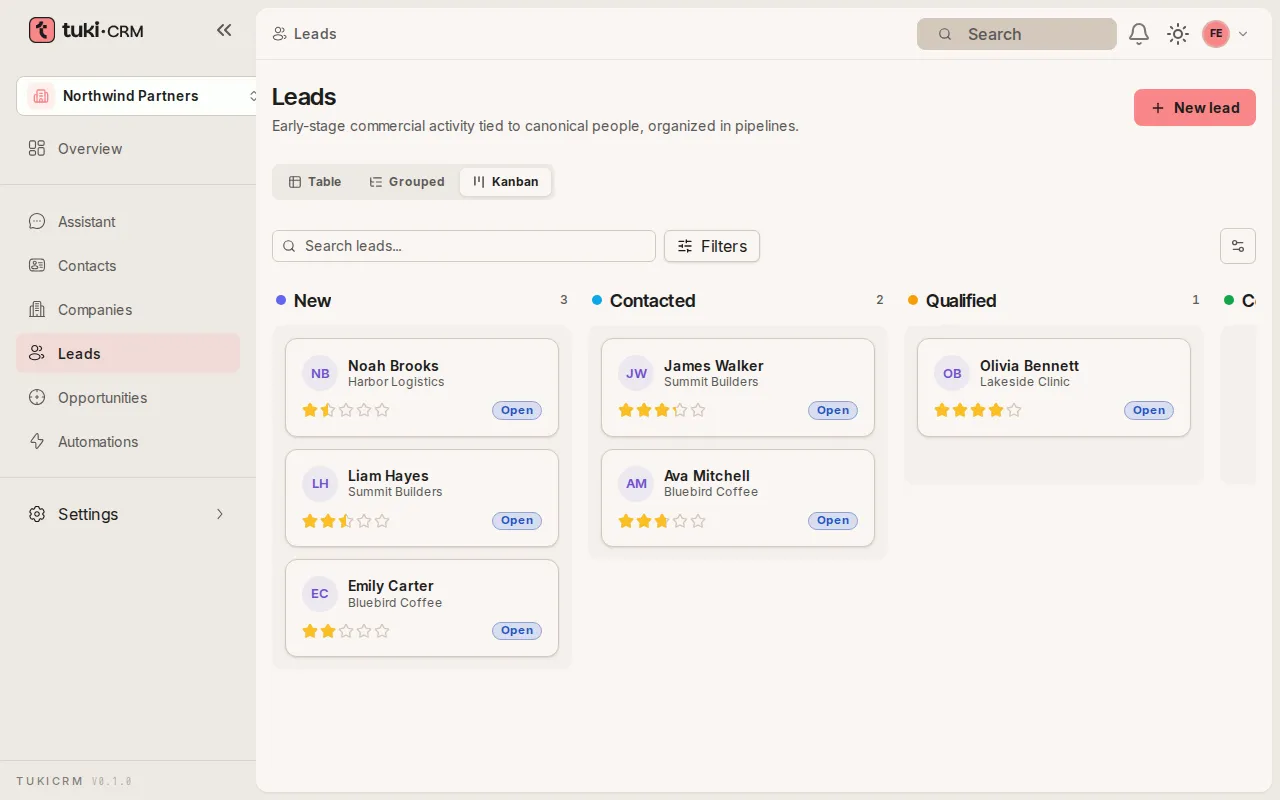
Choose the Kanban view. Each column is a pipeline stage and shows how many leads it has.
Move a lead to another stage
-
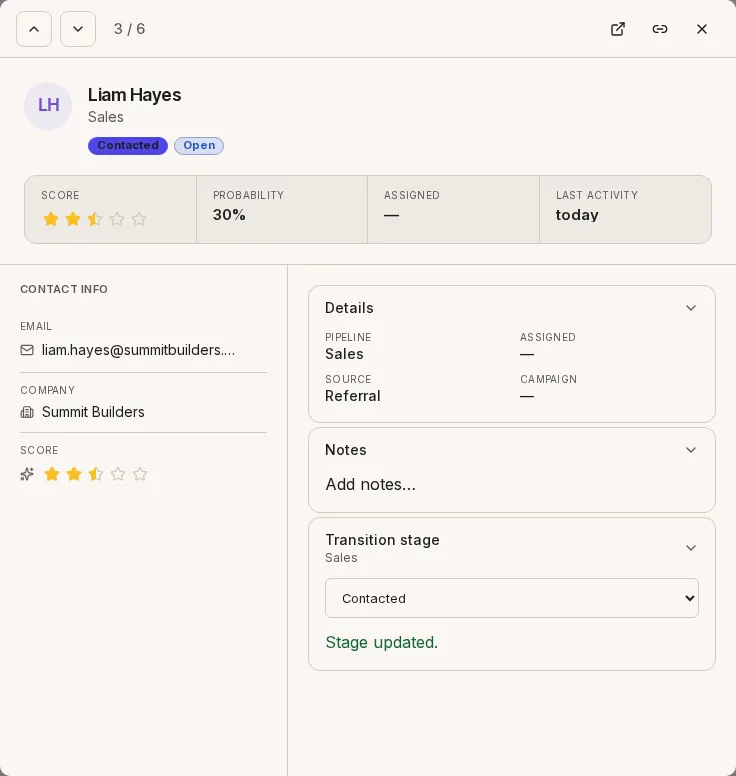
In the Table view, click the lead’s row to open the quick view.
-
Under Transition stage, choose the new stage. You’ll see the message Stage updated.